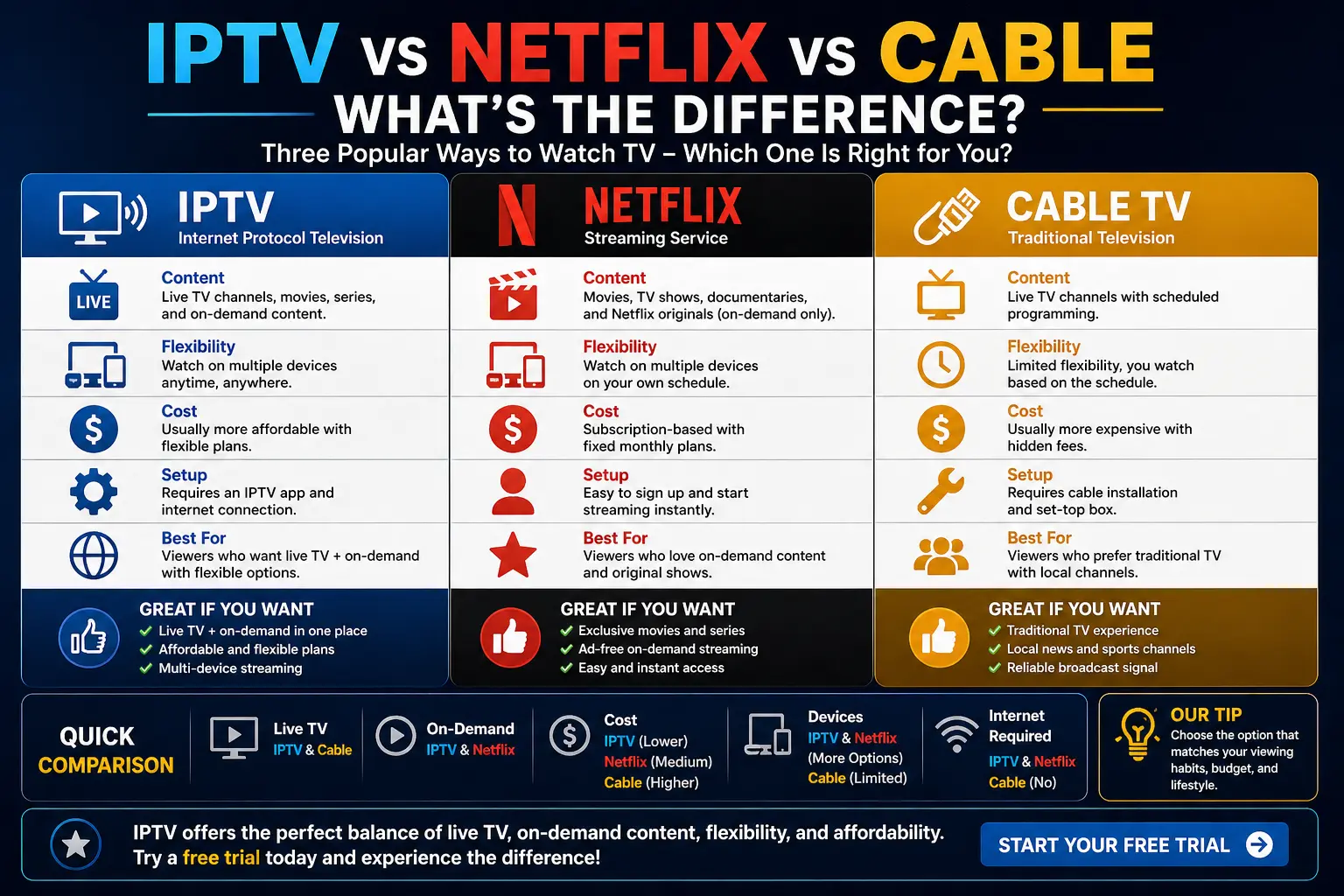
The way people watch TV has changed dramatically. Traditional cable is no longer the only option, and streaming platforms like Netflix and IPTV services have become popular alternatives.
But what exactly is the difference between IPTV, Netflix, and cable TV? And which one is the best choice for your needs?
In this guide, we’ll break down how each service works, compare their features, and help you understand which option might be right for you.
What Is IPTV?
IPTV (Internet Protocol Television) delivers TV content over the internet instead of traditional broadcast methods.
Unlike cable, IPTV allows users to stream live TV channels and on-demand content through apps and devices.
If you’re new to IPTV, you can read our full guide on what IPTV is and how it works.
Key Features of IPTV
- Live TV channels
- On-demand content
- Multi-device support
- Flexible streaming options
What Is Netflix?
Netflix is a subscription-based streaming platform that provides on-demand movies, TV shows, and original content.
Unlike IPTV, Netflix does not offer live TV channels. Instead, it focuses entirely on pre-recorded content.
Key Features of Netflix
- On-demand movies and series
- Original productions
- High-quality streaming
- Personalized recommendations
What Is Cable TV?
Cable TV is a traditional television service that delivers content through coaxial cables.
Users subscribe to channel packages and watch content based on a fixed schedule.
According to Federal Communications Commission (FCC), cable services are regulated and operate through licensed broadcasters.
Key Features of Cable TV
- Scheduled programming
- Channel bundles
- Limited flexibility
- Requires cable infrastructure
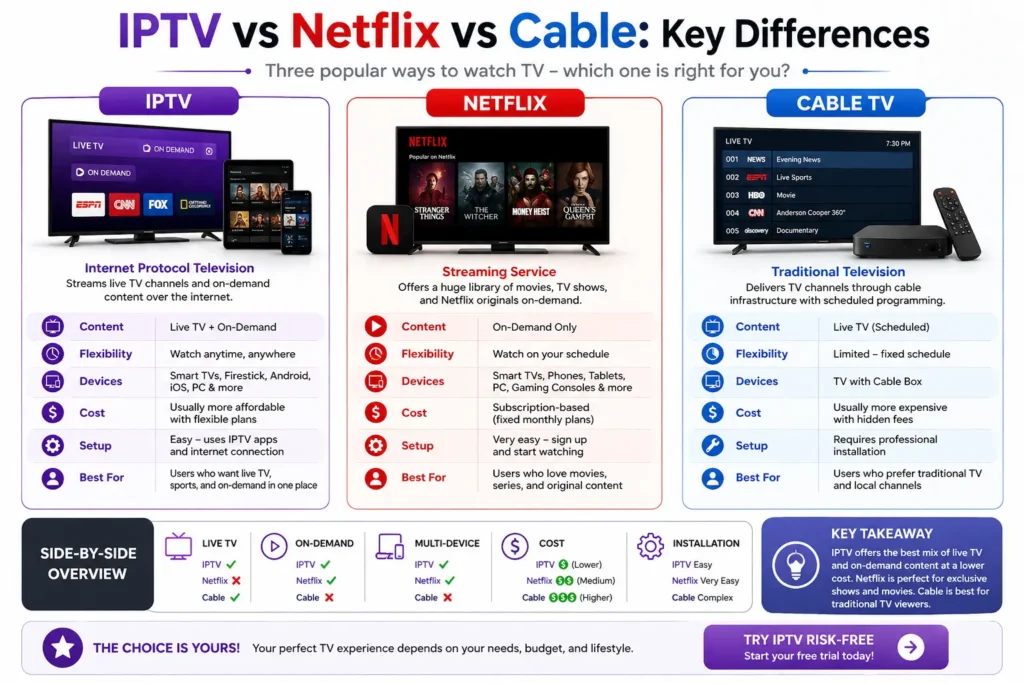
IPTV vs Netflix vs Cable: Key Differences
1. Content Type
- IPTV: Live TV + on-demand
- Netflix: On-demand only
- Cable: Live TV (scheduled)
2. Flexibility
- IPTV: Watch anytime, anywhere
- Netflix: Full on-demand control
- Cable: Limited flexibility
3. Device Compatibility
- IPTV: Firestick, Smart TVs, mobile devices
- Netflix: Almost all devices
- Cable: Requires set-top box
4. Cost Structure
- IPTV: Often flexible and customizable
- Netflix: Fixed subscription plans
- Cable: Typically higher bundled costs
5. Setup Process
- IPTV: Requires app setup
- Netflix: Simple app login
- Cable: Professional installation often required
If you want to try IPTV, you can start with a free IPTV trial.
Advantages of IPTV
- Access to both live and on-demand content
- Works on multiple devices
- Flexible viewing options
- No need for cable infrastructure
Advantages of Netflix
- High-quality original content
- Easy to use
- No setup complexity
Advantages of Cable TV
- Reliable broadcast system
- Access to traditional channels
- Widely available
Which One Is Better?
The best option depends on your viewing preferences.
Choose IPTV If You Want:
- Live TV and on-demand content
- Flexible streaming
- Multi-device access
Choose Netflix If You Want:
- Movies and series only
- Original content
- Simple streaming experience
Choose Cable If You Want:
- Traditional TV experience
- Local broadcast channels
- Fixed programming schedule
Is IPTV Legal Compared to Netflix and Cable?
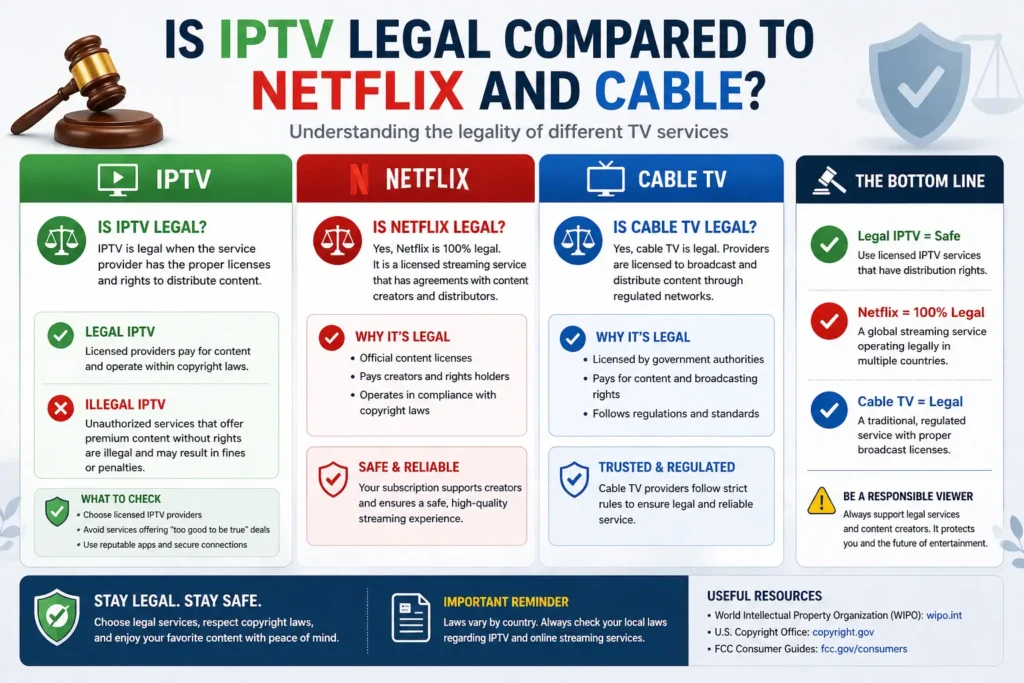
Netflix and cable TV are fully licensed platforms.
IPTV is also legal when used with properly licensed content. You can learn more in our guide on is IPTV legal.
According to World Intellectual Property Organization (WIPO), content distribution must follow copyright laws regardless of the platform used.
How to Get Started with IPTV
If you’re interested in IPTV, getting started is simple.
- Choose a compatible device
- Install an IPTV app
- Enter your login details or playlist
Follow our full guide on how to set up IPTV on Firestick for step-by-step instructions.
You can also explore the best IPTV apps to find the right player.
Common Issues Across All Platforms
No streaming method is perfect. Each option has its own challenges.
- IPTV: May experience buffering or setup issues
- Netflix: Requires stable internet
- Cable: Limited flexibility and higher cost
If you’re facing IPTV issues, check our troubleshooting guide on IPTV not working.
Final Thoughts
IPTV, Netflix, and cable TV each offer unique advantages. IPTV stands out for its flexibility and combination of live and on-demand content, while Netflix excels in original programming and ease of use. Cable TV remains a traditional option for scheduled viewing.
The right choice depends on how you prefer to watch content.
If you want a flexible and modern streaming experience, you can explore IPTV through a free trial or visit our homepage to learn more.