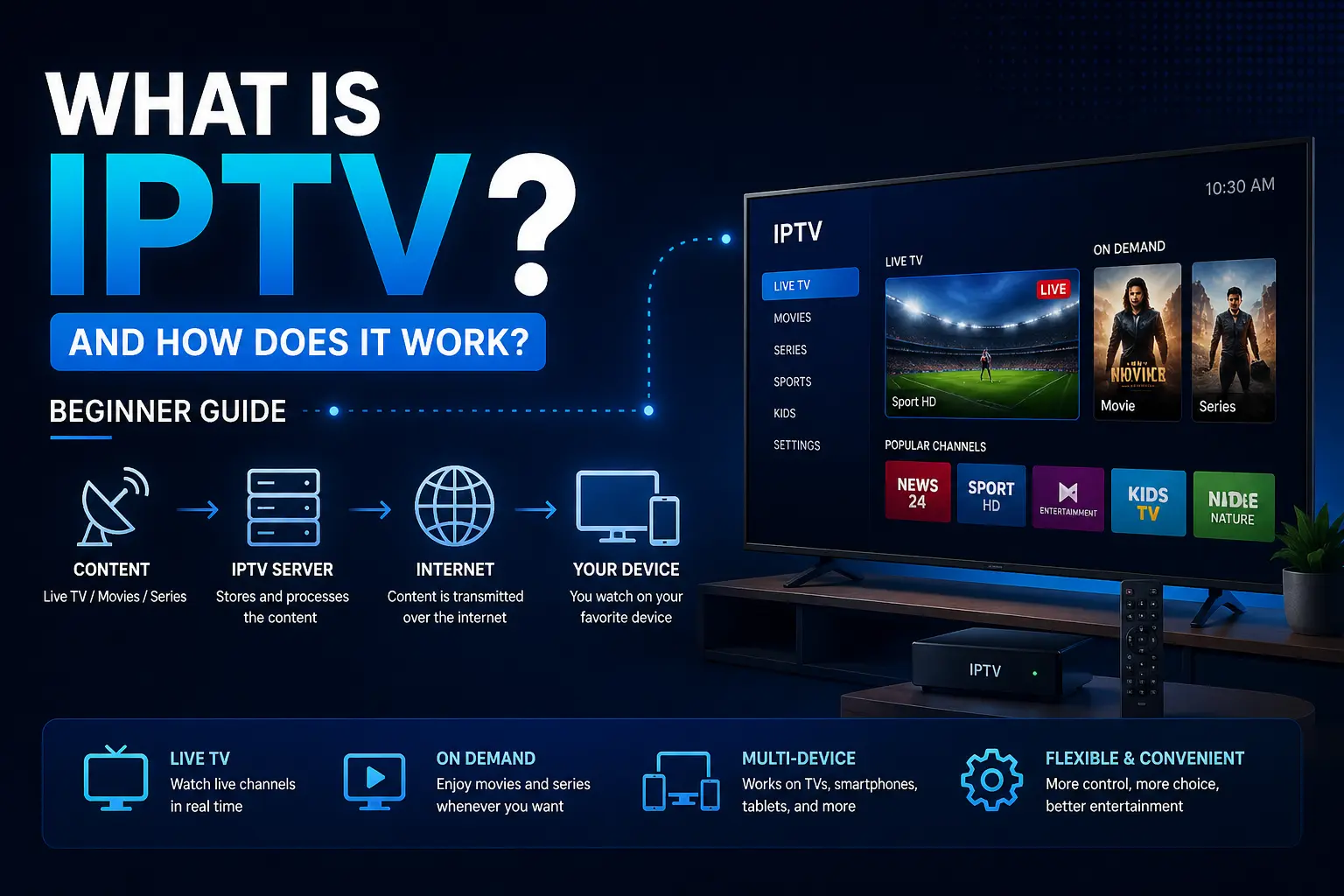
IPTV, or Internet Protocol Television, is changing the way people watch TV content. Instead of relying on traditional cable or satellite services, IPTV delivers television content over the internet, giving users more flexibility and control over what they watch and when they watch it.
In this beginner-friendly guide, we’ll explain what IPTV is, how it works, the different types of IPTV services, and what you need to get started.
What Is IPTV?
IPTV stands for Internet Protocol Television. It is a system where television services are delivered using the internet rather than traditional broadcast methods such as cable or satellite.
With IPTV, content is streamed directly to your device through an internet connection, allowing you to watch live TV, movies, and series on demand.
Unlike traditional TV, IPTV gives users more control over content, including the ability to pause, rewind, or choose what to watch at any time.
How IPTV Differs from Traditional TV
- Cable/Satellite: Content is broadcast at scheduled times
- IPTV: Content is streamed on demand or live over the internet
- Flexibility: IPTV allows viewing across multiple devices
- Customization: Users can choose content instead of following fixed schedules
How Does IPTV Work?
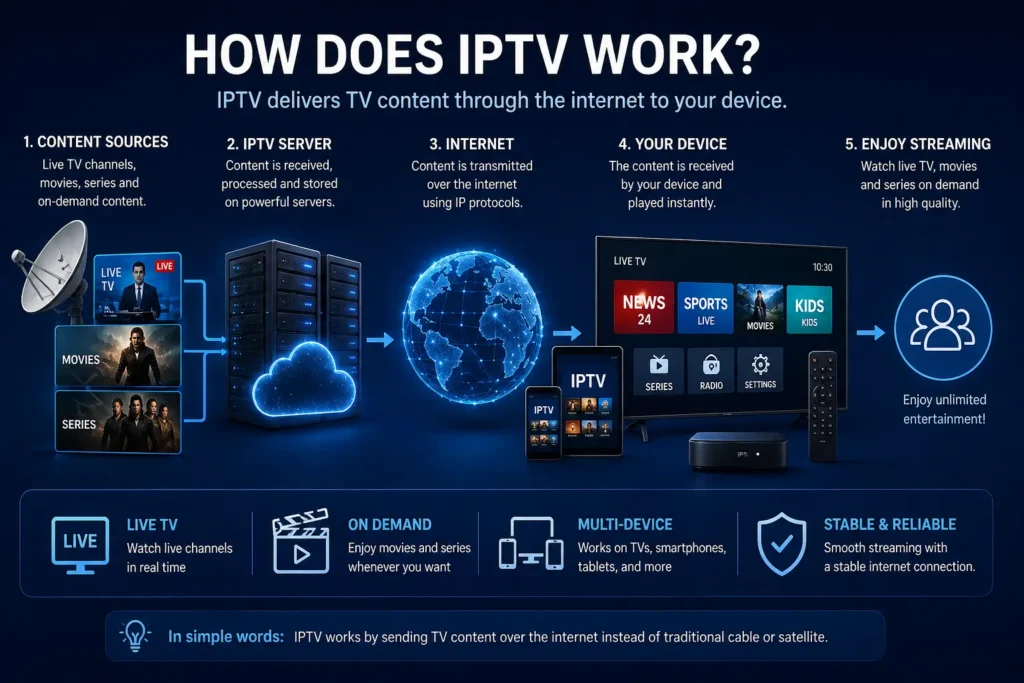
IPTV works by transmitting television content through internet protocols. Instead of broadcasting content through signals, IPTV breaks down video content into data packets and sends them over the internet.
When you select a channel or video, the IPTV server sends the data directly to your device, where it is decoded and displayed in real-time.
The Basic IPTV Process
- Content is stored on servers
- The user requests a channel or video
- The server sends the data over the internet
- Your device decodes and plays the content instantly
This system allows IPTV to provide both live streaming and on-demand viewing.
Streaming Technology Behind IPTV
IPTV relies on streaming technologies such as adaptive bitrate streaming and content delivery networks (CDNs) to ensure smooth playback.
According to Cloudflare’s guide on video streaming, content is delivered in small chunks to ensure faster loading and minimal buffering.
Types of IPTV Services
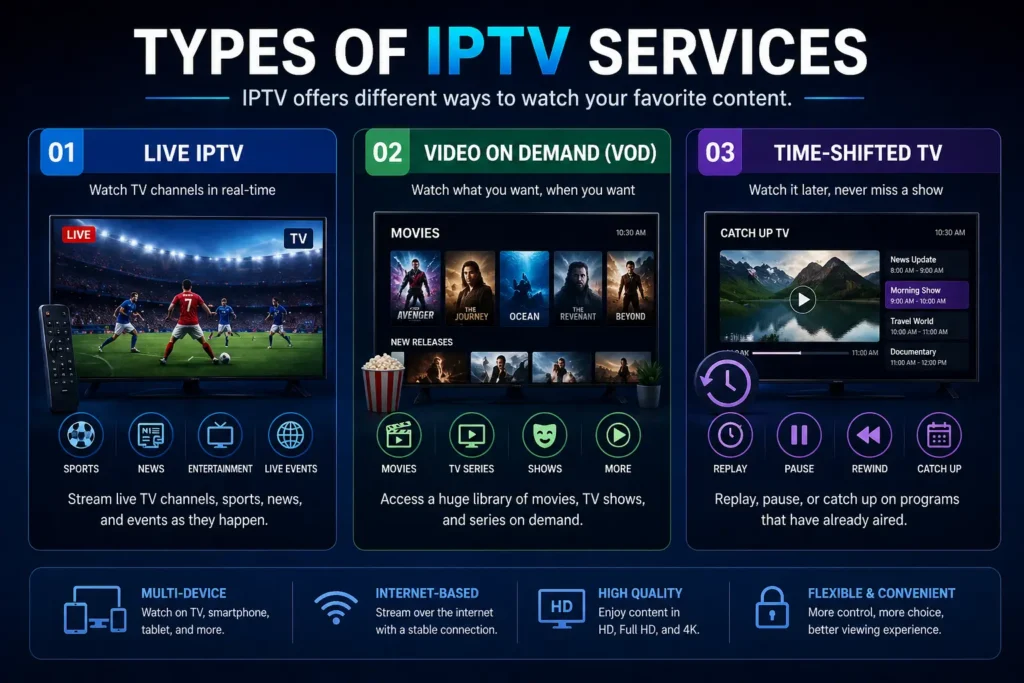
There are three main types of IPTV services available, each offering a different viewing experience.
1. Live IPTV
Live IPTV allows users to watch TV channels in real-time, just like traditional cable or satellite TV.
- Sports channels
- News broadcasts
- Live events
2. Video on Demand (VOD)
VOD services allow users to choose and watch content whenever they want.
- Movies
- TV series
- Documentaries
This is similar to platforms like Netflix, where users select content from a library.
3. Time-Shifted TV
Time-shifted IPTV allows users to watch previously aired content at a later time.
- Catch-up TV
- Replay shows
- Pause and rewind live TV
What Do You Need to Use IPTV?
Getting started with IPTV is simple. You only need a few basic components.
1. Stable Internet Connection
A fast and stable internet connection is essential for smooth streaming. For HD streaming, a minimum speed of 10 Mbps is recommended.
2. Compatible Device
You can use IPTV on various devices, including:
- Smart TVs
- Firestick and Android TV boxes
- Smartphones and tablets
- PCs and laptops
3. IPTV App or Player
To access IPTV content, you need a compatible player such as:
- TiviMate
- Smart IPTV
- IPTV Smarters
4. IPTV Service Access
To start using IPTV, you typically need access to a service provider. If you’re new, you can try an IPTV free trial to explore how it works before committing.
Benefits of IPTV
IPTV offers several advantages over traditional TV services.
- Flexibility: Watch content anytime, anywhere
- Variety: Access a wide range of channels and content
- Multi-device support: Use on different devices
- On-demand viewing: Choose what you want to watch
- Cost-effective: Often more affordable than cable
Common IPTV Issues and How They Are Solved
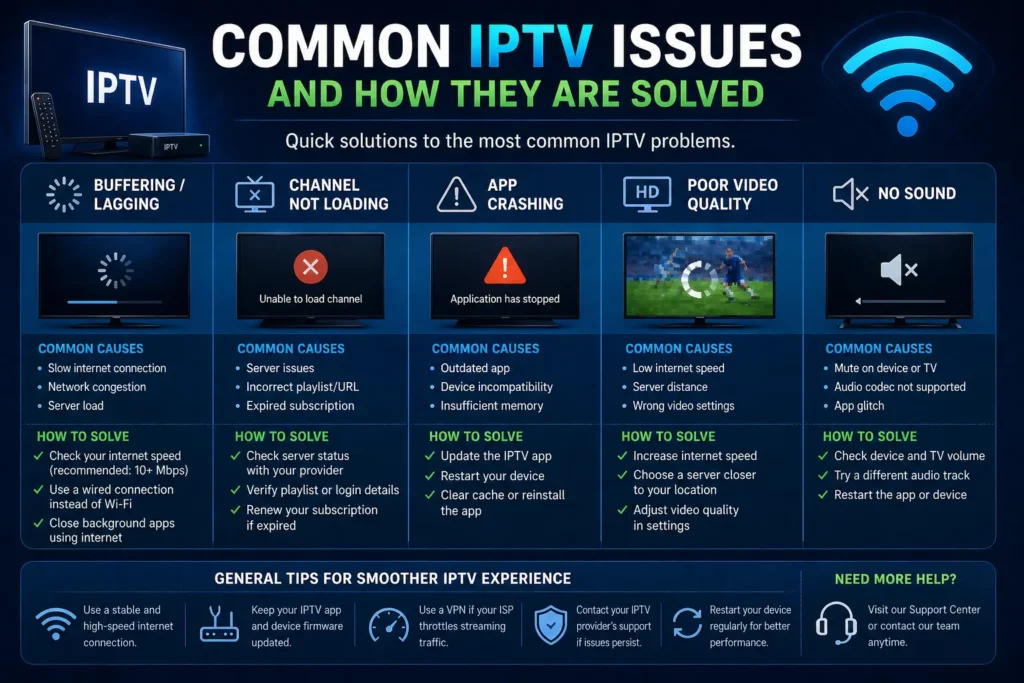
Like any streaming service, IPTV may sometimes experience issues.
Buffering
Usually caused by slow internet speed or network congestion.
App Crashes
Often related to outdated apps or device compatibility issues.
Channel Not Loading
May occur due to server issues or incorrect setup.
If you experience issues, you can always reach out via our Contact page for assistance.
Is IPTV Legal?
IPTV itself is a legal technology. Many legitimate platforms use IPTV to deliver content over the internet.
For example, services like BBC iPlayer and Hulu operate using IPTV-based systems.
However, the legality depends on how the service is used and whether the content is properly licensed in your region.
It is always recommended to understand your local laws and use IPTV responsibly.
IPTV vs Traditional Streaming Platforms
IPTV differs from popular streaming platforms in several ways.
- IPTV: Often includes live TV and multiple channels
- Streaming Platforms: Focus mainly on on-demand content
- Flexibility: IPTV combines both live and on-demand features
Final Thoughts
IPTV is a modern solution for accessing television content through the internet. It offers flexibility, convenience, and a wide range of viewing options compared to traditional TV services.
Whether you’re looking to watch live TV, access on-demand content, or explore new ways to stream, IPTV provides a powerful and user-friendly alternative.
If you’re just getting started, exploring a free IPTV trial is a great way to understand how the system works and whether it suits your needs.