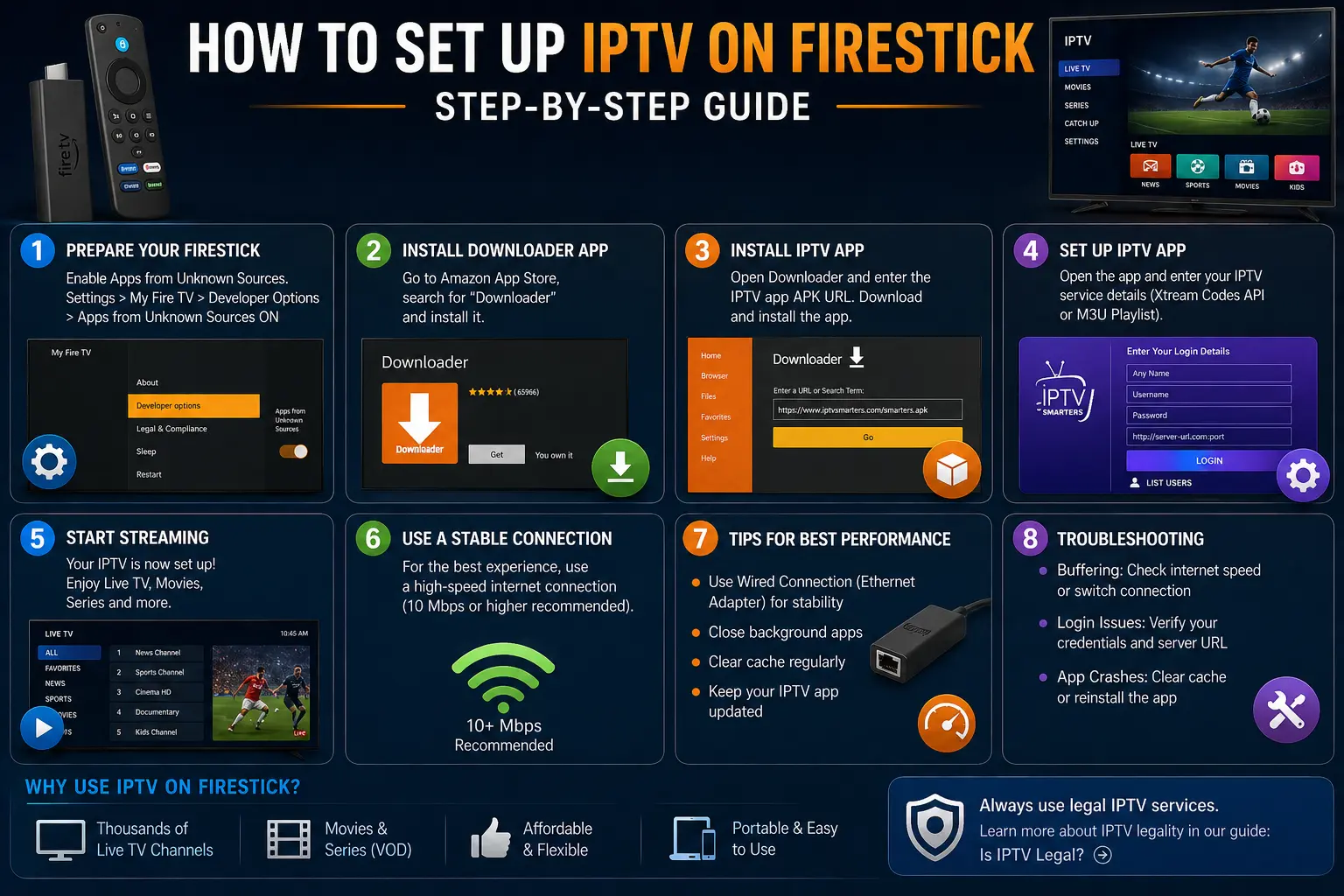
Setting up IPTV on a Firestick is one of the easiest ways to start streaming live TV and on-demand content directly on your television. With the right setup, you can turn your Firestick into a powerful streaming device in just a few minutes.
In this complete step-by-step guide, we’ll walk you through everything you need to know — from installing IPTV apps to configuring your service and getting started safely.
What Is IPTV on Firestick?
IPTV (Internet Protocol Television) allows you to stream TV content over the internet instead of traditional cable or satellite. If you’re new to IPTV, you can read our full guide on what IPTV is and how it works.
Firestick is one of the most popular devices for IPTV because it is affordable, easy to use, and supports a wide range of apps.
What You Need Before Setting Up IPTV
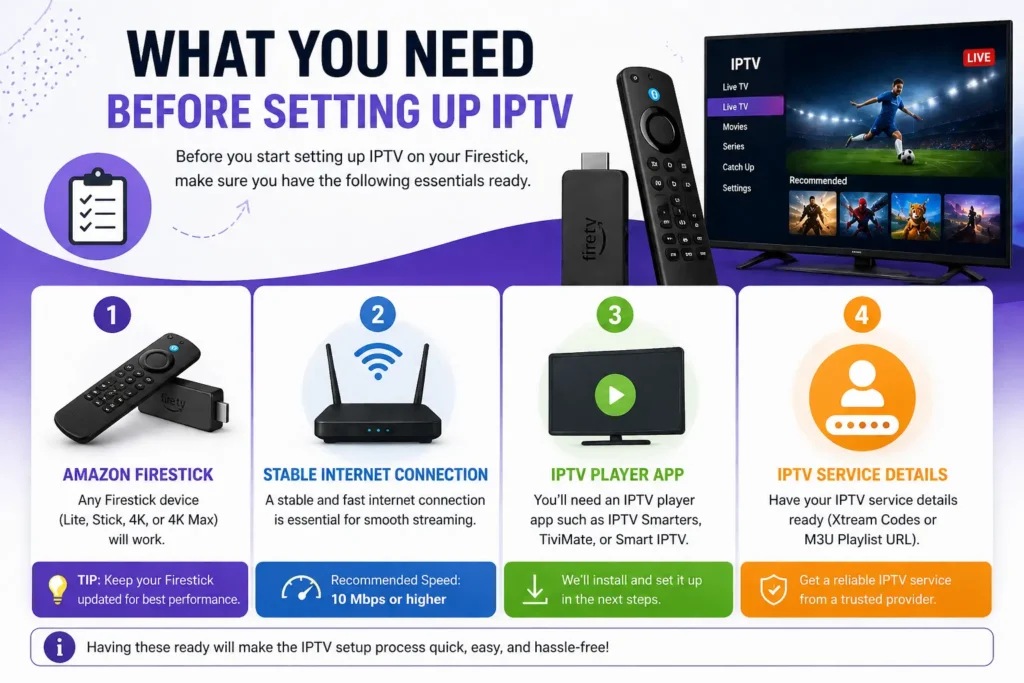
Before starting, make sure you have the following:
- An Amazon Firestick device
- A stable internet connection (recommended 10 Mbps or higher)
- An IPTV player app
- Access to an IPTV service
If you’re new, you can start with a free IPTV trial to test everything before committing.
Step 1: Prepare Your Firestick
Enable Apps from Unknown Sources
To install IPTV apps, you need to allow installations from outside the Amazon App Store.
- Go to Settings
- Select My Fire TV
- Click Developer Options
- Enable Apps from Unknown Sources
For more details, you can refer to Amazon’s official Fire TV guide.
Step 2: Install Downloader App
The Downloader app allows you to install IPTV apps manually.
- Go to the Amazon App Store
- Search for Downloader
- Install the app
Downloader is widely used and trusted for installing third-party apps on Firestick.
Step 3: Install an IPTV Player
Next, you need an IPTV player app to stream content.
Popular IPTV Apps for Firestick
- IPTV Smarters
- TiviMate
- Smart IPTV
To install IPTV Smarters:
- Open Downloader
- Enter the official APK URL
- Download and install the app
Always download apps from trusted sources. For general Android app safety, see Google Play security guidelines.
Step 4: Set Up IPTV on Firestick
Once your app is installed, you can configure your IPTV service.
Using Login Credentials
Most IPTV services provide:
- Username
- Password
- Server URL
- Open your IPTV app
- Select Login with Xtream Codes API (if available)
- Enter your credentials
- Click login
Using M3U Playlist
Alternatively, you can use an M3U playlist link:
- Select Add Playlist
- Enter your M3U URL
- Load channels
Step 5: Start Streaming
Once setup is complete, you’ll have access to:
- Live TV channels
- Movies and series
- On-demand content
You can now browse categories and start streaming instantly.
Tips for Best IPTV Performance on Firestick
Use a Stable Internet Connection
A fast connection reduces buffering and improves video quality.
Use Ethernet Adapter (Optional)
Wired connections are more stable than Wi-Fi.
Close Background Apps
This helps improve performance and reduce lag.
Update Apps Regularly
Keep your IPTV app updated for best compatibility.
Common IPTV Setup Issues and Fixes
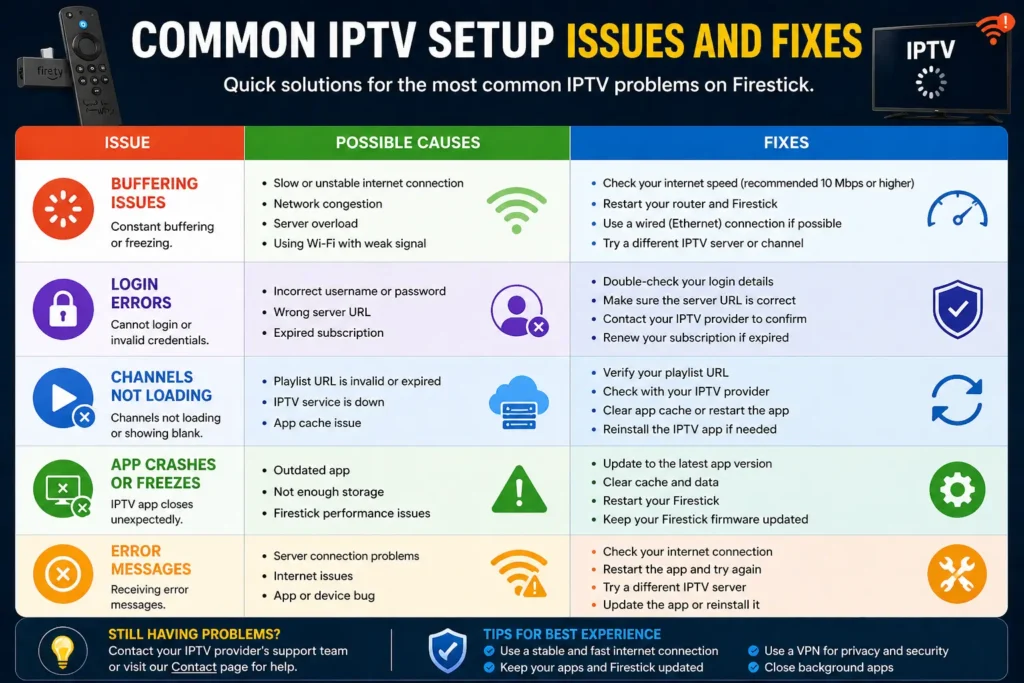
Buffering Issues
- Check internet speed
- Restart router
- Switch to wired connection
Login Errors
- Verify credentials
- Check server URL
App Crashes
- Clear cache
- Reinstall the app
If you need help, you can always reach out via our Contact page.
Is It Legal to Use IPTV on Firestick?
Using IPTV on Firestick is legal as long as the content you are accessing is properly licensed.
You can read more in our full guide on IPTV legality and how it works.
Always ensure you are using trusted services and complying with local laws.
Advantages of Using IPTV on Firestick
- Easy to set up and use
- Affordable streaming solution
- Access to live and on-demand content
- Portable and flexible device
Final Thoughts
Setting up IPTV on Firestick is straightforward and can be completed in just a few steps. With the right setup, you can enjoy a flexible and powerful streaming experience directly from your TV.
If you’re new to IPTV, starting with a free trial is a great way to explore the service before making a decision.
You can also visit our homepage to learn more about IPTV services and options available.